Periodic actions
The software program allows you to define a periodicity for some of the configured actions, without using a start or end time or a trigger or reset event.

In the timer programming section you can access the subsection to view and set up to 5 periodic actions:
|
|
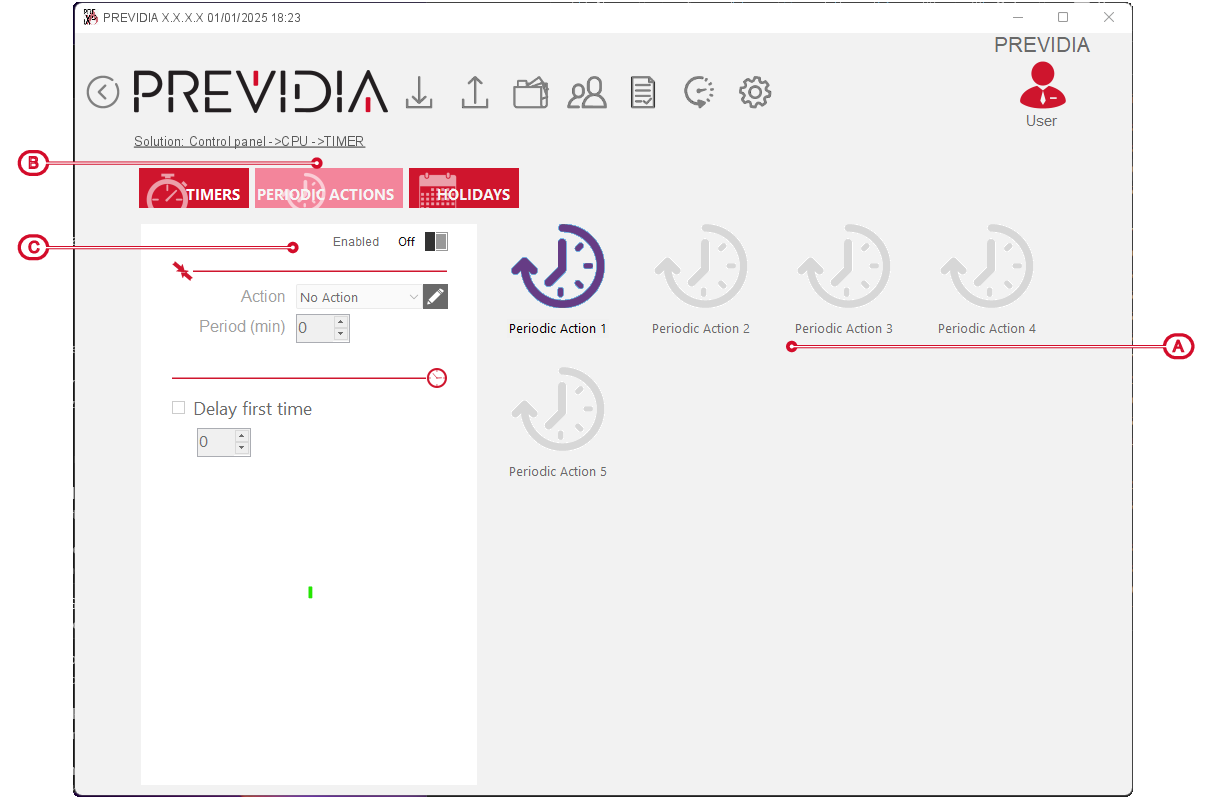
Once you have selected an action from the list, you can define it by means of the parameters:
-
Enabled – option that enables the selected periodic action.
-
Action – field where you can select one of the available actions in order to make it “periodic”.
-
Period – field where you can enter the periodicity, that is, the time, in minutes, between the activations of the selected action.
-
First activation delay – it is possible to introduce a delay in seconds to the first activation of the selected periodic action.